> ## Documentation Index
> Fetch the complete documentation index at: https://docs.nrev.ai/llms.txt
> Use this file to discover all available pages before exploring further.
# Delete Column
> Remove one or more columns from your dataset to clean up inputs, reduce noise, or prep for downstream steps.
## What It Does
* **Deletes selected columns** from your data
* **Supports multiple columns at once**
* **Ignores missing columns** if they’ve been removed upstream
* **Returns your cleaned data**, with row count and order preserved
***
## 🏁 Getting Started
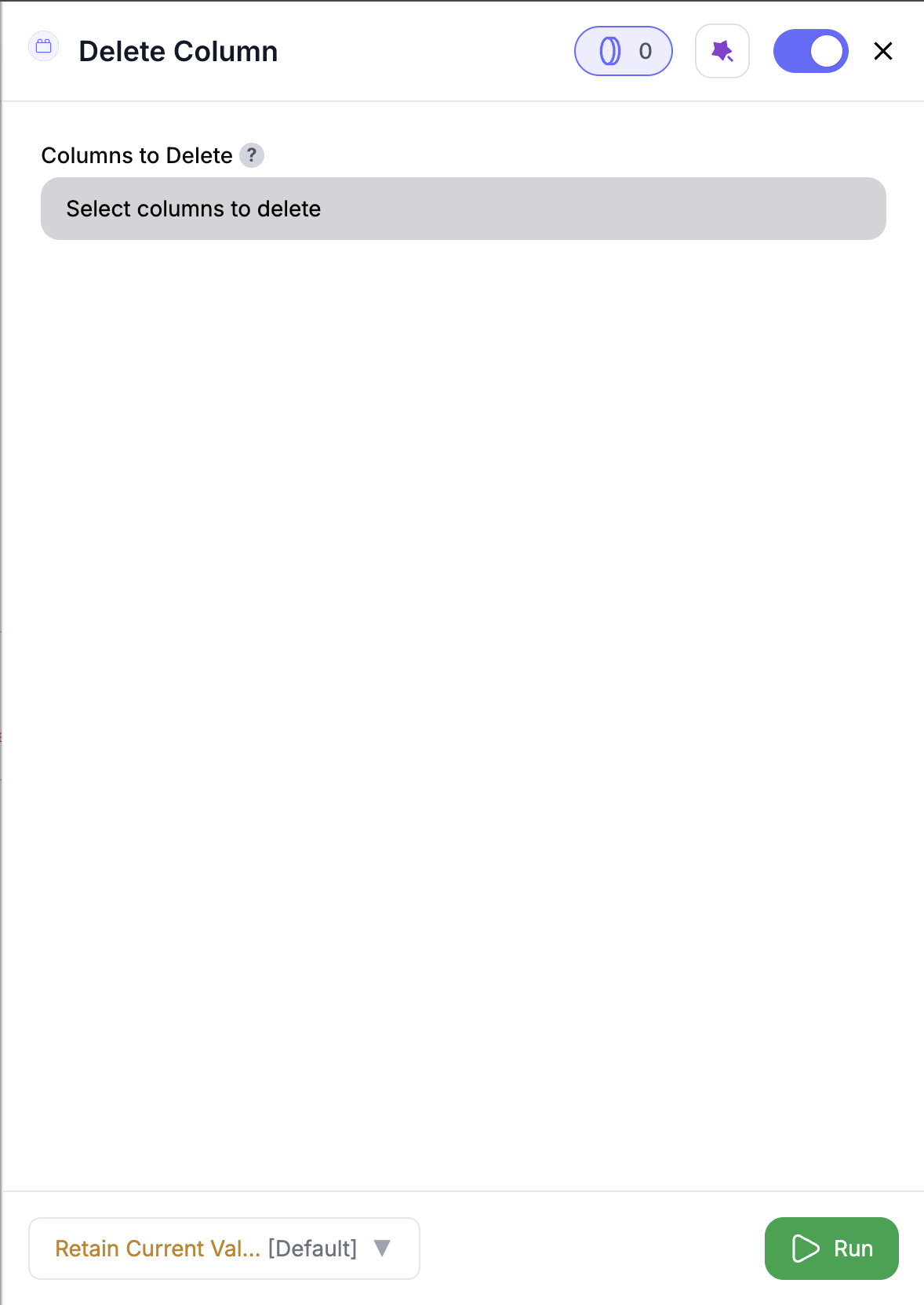 Drag in the **Delete Column** node from the panel.
Use any node that outputs data.
Use the dropdown to pick one or more columns to remove.
Hit **Run** to remove the selected columns.
***
## Inputs
### 🛠️ Required Fields
* **Columns to Delete (✅)**\
One or more column names selected from the dropdown.\
*Why it matters:* The node can’t run unless at least one column is selected.
You’ll only see columns from the immediate upstream node. If a column is missing, check that it wasn’t dropped earlier in the play.
***
## Output
You’ll get back your input data — minus the columns you chose to remove.
* Row count and column order are preserved
* Any columns that no longer exist upstream are ignored
***
## How It Works
1. Loads your input data
2. Applies the column deletion list
3. Skips any missing columns
4. Removes the selected fields
5. Returns a simplified version of your data
***
## 🚀 Example Use Cases & Prompts
| Use Case | Setup Example |
| ----------------------- | ---------------------------------------- |
| Clean up before export | Remove `notes_draft`, `temp_tags` |
| Drop unused enrichments | Delete `angellist_url`, `alexa_ranking` |
| Remove sensitive fields | Exclude `email`, `phone`, `linkedin_uid` |
| Shrink dataset | Only keep what's needed for downstream |
***
## ✨ Pro Tips
Use this node before export steps like **CSV Write** or downstream enrichment to stay lean and focused.
Use this node to cut down the noise in your dataset.
***
## ⚠️ Important Considerations
At least one column must be selected for the node to run.
If you delete all columns, your output will be completely empty — no rows or headers. Double-check before running.
***
## 🛠 Troubleshooting & Gotchas
| Symptom | Likely Cause | Quick Fix |
| --------------- | --------------------------------- | ------------------------------------- |
| Output is empty | All columns were removed | Keep at least one field in the result |
| Missing column | It may have been removed upstream | Check earlier nodes in the play |
***
## 📝 FAQ
You can only delete columns that are passed into this node from the upstream node.
Nope — just use the dropdown menu to pick available fields.
You’ll get an empty dataset. No problem — reconfigure the node and run it again with the columns you want to keep.
***
## 💰 Pricing
> The Delete Column node is **free** — no credits required.
***
Drag in the **Delete Column** node from the panel.
Use any node that outputs data.
Use the dropdown to pick one or more columns to remove.
Hit **Run** to remove the selected columns.
***
## Inputs
### 🛠️ Required Fields
* **Columns to Delete (✅)**\
One or more column names selected from the dropdown.\
*Why it matters:* The node can’t run unless at least one column is selected.
You’ll only see columns from the immediate upstream node. If a column is missing, check that it wasn’t dropped earlier in the play.
***
## Output
You’ll get back your input data — minus the columns you chose to remove.
* Row count and column order are preserved
* Any columns that no longer exist upstream are ignored
***
## How It Works
1. Loads your input data
2. Applies the column deletion list
3. Skips any missing columns
4. Removes the selected fields
5. Returns a simplified version of your data
***
## 🚀 Example Use Cases & Prompts
| Use Case | Setup Example |
| ----------------------- | ---------------------------------------- |
| Clean up before export | Remove `notes_draft`, `temp_tags` |
| Drop unused enrichments | Delete `angellist_url`, `alexa_ranking` |
| Remove sensitive fields | Exclude `email`, `phone`, `linkedin_uid` |
| Shrink dataset | Only keep what's needed for downstream |
***
## ✨ Pro Tips
Use this node before export steps like **CSV Write** or downstream enrichment to stay lean and focused.
Use this node to cut down the noise in your dataset.
***
## ⚠️ Important Considerations
At least one column must be selected for the node to run.
If you delete all columns, your output will be completely empty — no rows or headers. Double-check before running.
***
## 🛠 Troubleshooting & Gotchas
| Symptom | Likely Cause | Quick Fix |
| --------------- | --------------------------------- | ------------------------------------- |
| Output is empty | All columns were removed | Keep at least one field in the result |
| Missing column | It may have been removed upstream | Check earlier nodes in the play |
***
## 📝 FAQ
You can only delete columns that are passed into this node from the upstream node.
Nope — just use the dropdown menu to pick available fields.
You’ll get an empty dataset. No problem — reconfigure the node and run it again with the columns you want to keep.
***
## 💰 Pricing
> The Delete Column node is **free** — no credits required.
***
Keep your data tight and tidy — drop what you don’t need, and pass along only what matters. 🧼🧠